Nestor captures your laps live from Le Mans Ultimate, then answers your setup and driving questions between laps. It reasons over your own telemetry — reaching for exactly the data each question needs — and replies in plain English.
Ask “where am I losing time?” or “how do I fix corner-exit oversteer?” Nestor doesn’t dump your whole lap into a prompt — it works out what to look at and pulls only that: one corner, a single lap, your tires, your fuel, or the whole race. Then it answers from those facts.
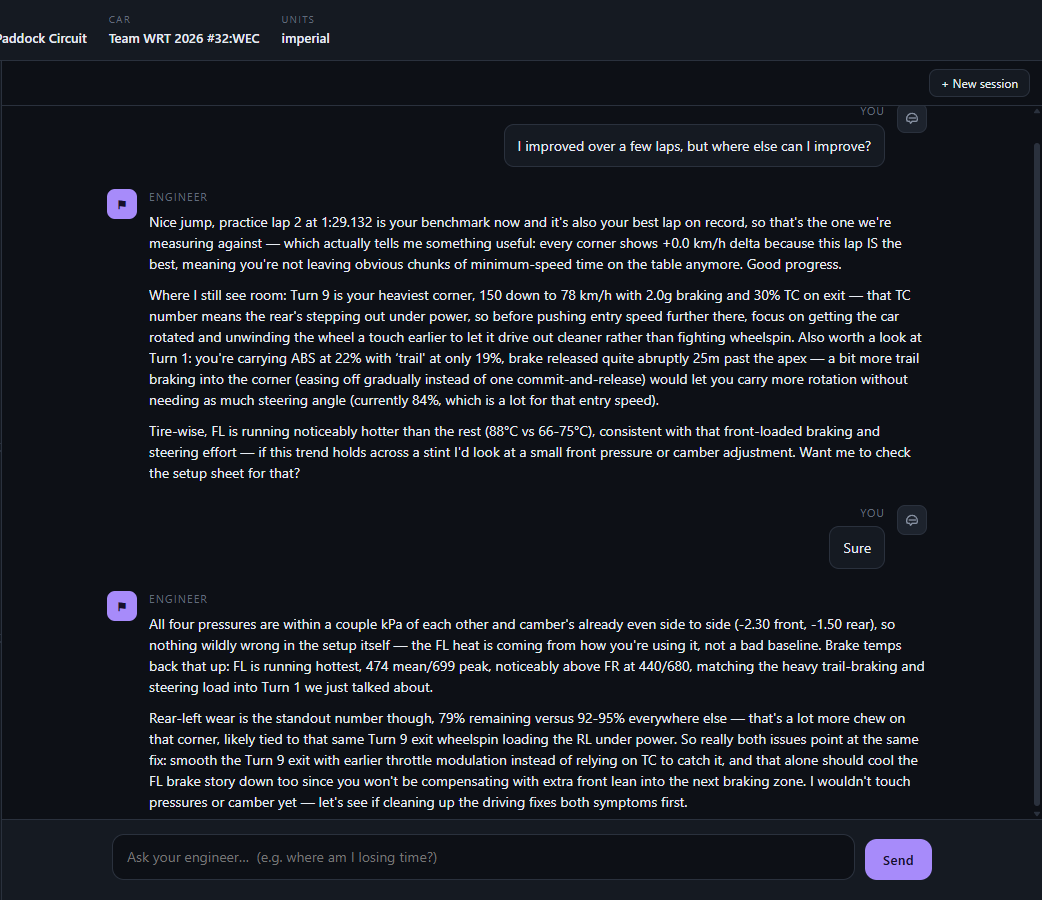
Why the advice holds up: the model never touches your raw telemetry, and never invents the numbers. A deterministic pipeline does the measuring — the AI only ever reasons over facts, and fetches exactly the ones each question needs.
Your laps stream in live from LMU’s shared memory at ~50 Hz — brake, throttle, speed, tire temps, fuel and track position — and every lap is stored in full.
Raw telemetryA deterministic, tested pipeline turns that stream into a ranked read of where a lap gained or lost time, every metric measured against your own best lap, how consistent you're being across the stint, whether the car is understeering, oversteering, locking up or spinning up, how the tires are trending, how much of the grip envelope you're using, and the shape of your own brake/throttle inputs. No AI in this step — just math on your data.
Computed factsOnly those computed facts reach the model. It runs as an agent: for each question it calls the tools it needs — a corner, a lap, tires, fuel, the race result — reads the numbers back, and answers from them.
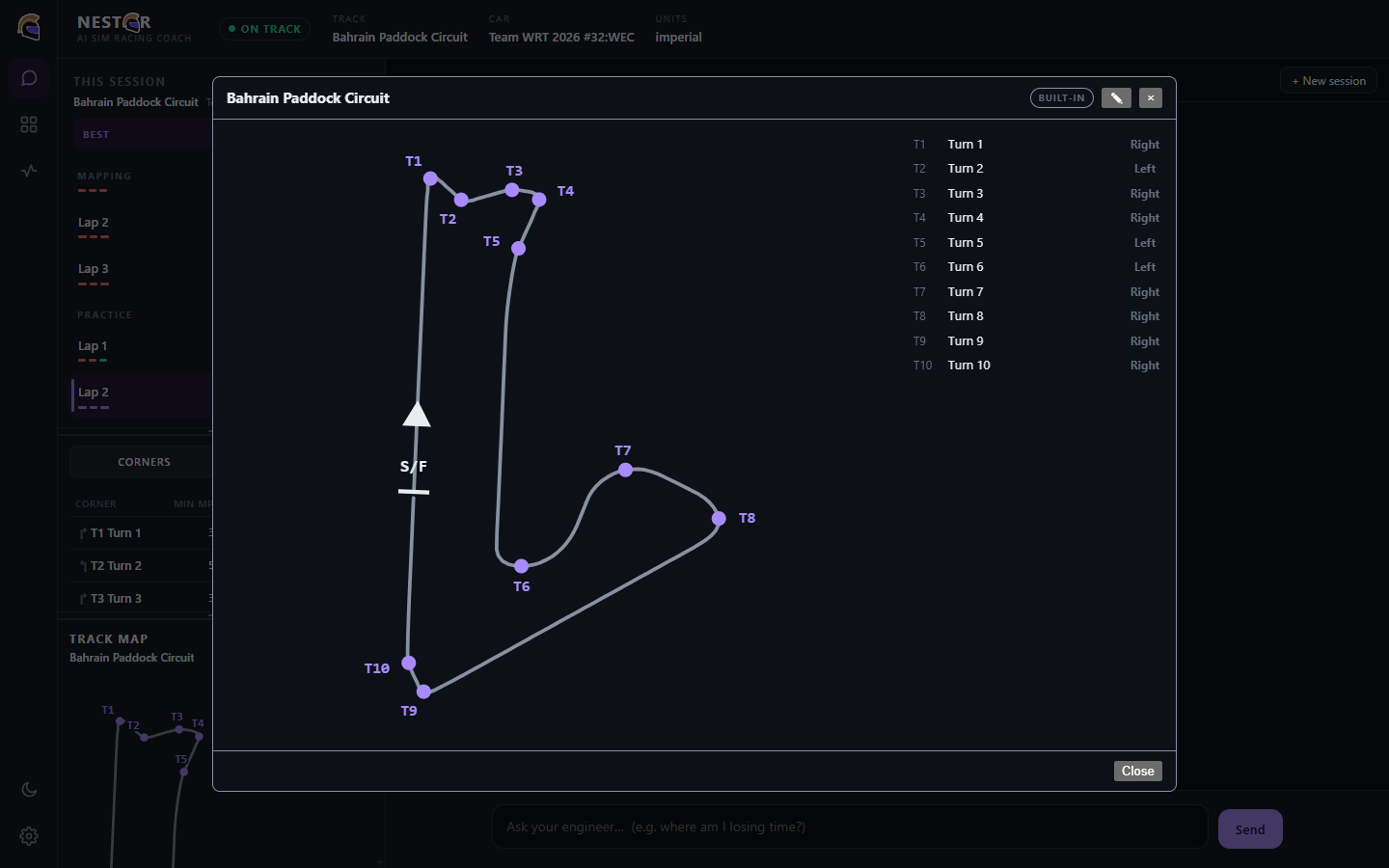
Agentic loopWhat it will never do: see your raw ~50 Hz telemetry, or guess a corner’s number, name or direction. Those are measured from a track map and handed to the model as fact — so its advice always lands on the right turn.
Corner numbers, names and directions come from the track geometry and a per-track corner map — never guessed by the model. The AI only ever receives a corner’s identity as a fact, so its advice lands on the right turn every time.
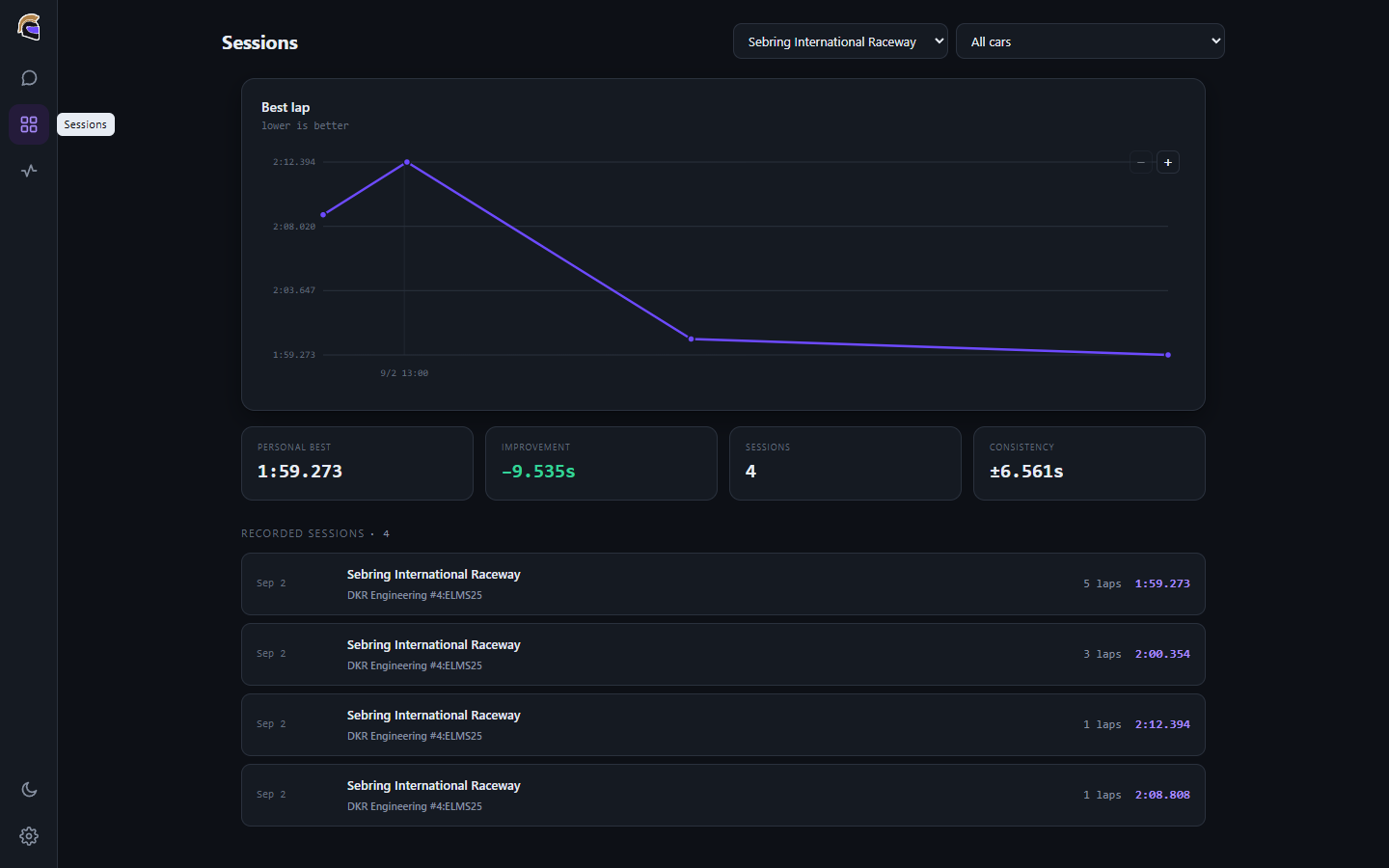
Every lap is stored. Nestor tracks your best-lap trend per track and car, your consistency, and how much time you’ve found — so you know the work is paying off, not just feel it.

In Homer’s Iliad, Nestor is the eldest of the Greek kings — the counsellor the younger warriors turn to before a fight. He isn’t the fastest or the strongest. He’s the one who has seen the most, and turns hard-won experience into advice you can actually use.
That’s the job. You do the driving; Nestor is the seasoned voice in your ear between stints — and the helm is both: a racing helmet, and a hand on the wheel.
Nestor is MIT-licensed. Download the Windows installer from GitHub Releases, or read the code, report a bug, and contribute on GitHub. If it helps your driving, tips on Ko-fi keep it going.